Quick Answer
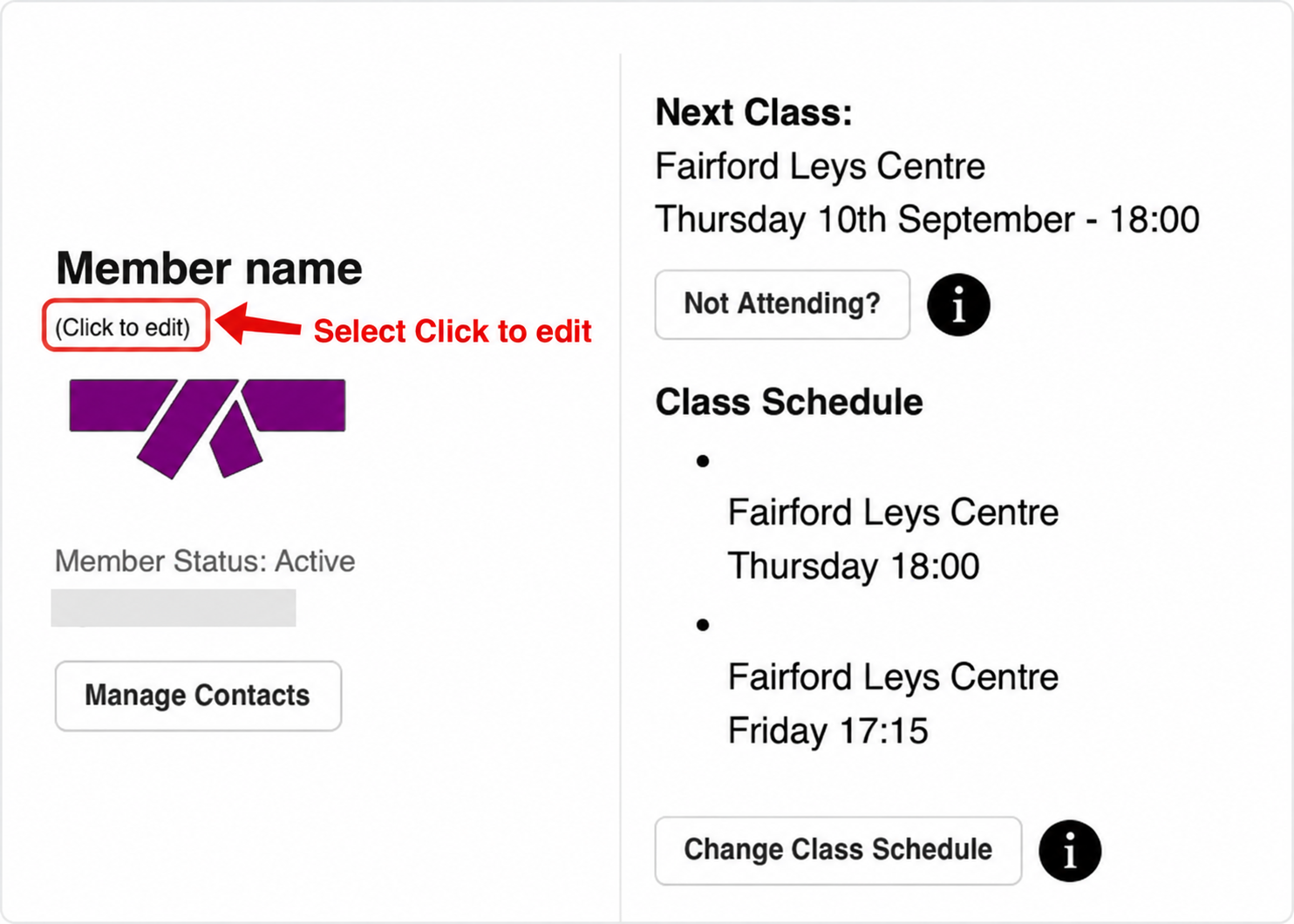
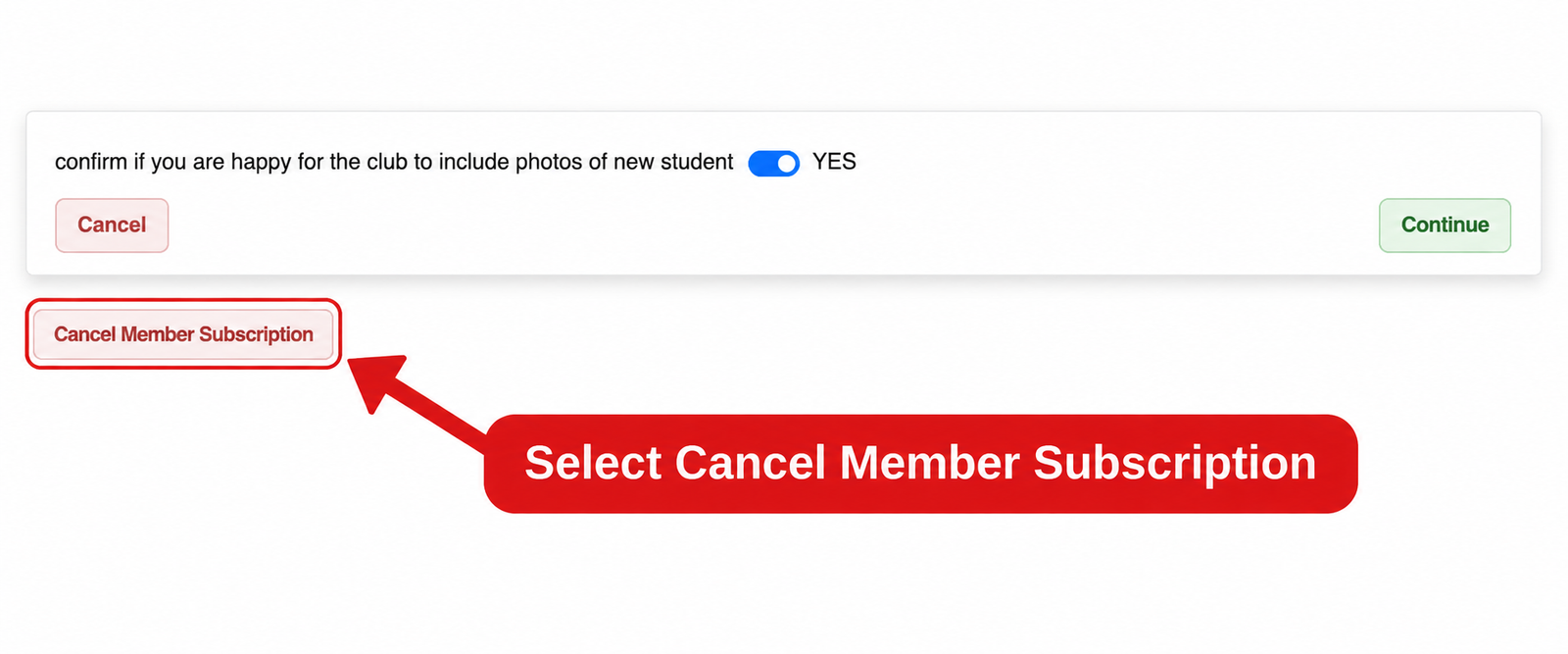
Log in to the Members Area and open the Member Dashboard. Find the member you want to cancel, select Click to edit, then scroll to the bottom and select Cancel Member Subscription.
Keep the Direct Debit active. Cancelling it with your bank does not cancel the membership. Payments due during the notice period remain outstanding and must still be paid.
Go to Members Area
What happens after you submit?
The member will be marked as Closing while their notice period is completed. They are not cancelled immediately.
The membership closes 30 days after notification through the Members Area and changes from Closing to Cancelled. The class place can then be released to another member. Check your account confirmation for the closure date.
Notice and final payments
ZKS requires 30 days’ cancellation notice. The membership end date and the Direct Debit collection cut-off are different: the end date is 30 days after notification, while the date you submit determines whether the next payment is collected.
| When the request is submitted | What normally happens |
|---|
| Before the 17th of the month | The membership closes 30 days after notification. Payment will not be collected on the following 1st of the month. |
| On or after the 17th of the month | The membership closes 30 days after notification. Payment will be collected on the following 1st of the month. |
Examples: A request on 16 September closes 30 days later, on 16 October, with no collection on 1 October. A request on 17 September closes on 17 October, and the 1 October payment is collected.
Do not cancel the Direct Debit early. Doing so does not remove payments that are still due and may leave an outstanding balance on the member’s account.
Can’t complete the cancellation?
If the member is not visible, Click to edit is unavailable, or the cancellation process does not work, use the message function in the Members Area. Include the member’s name and explain where you became stuck.