Changing your regular classes?
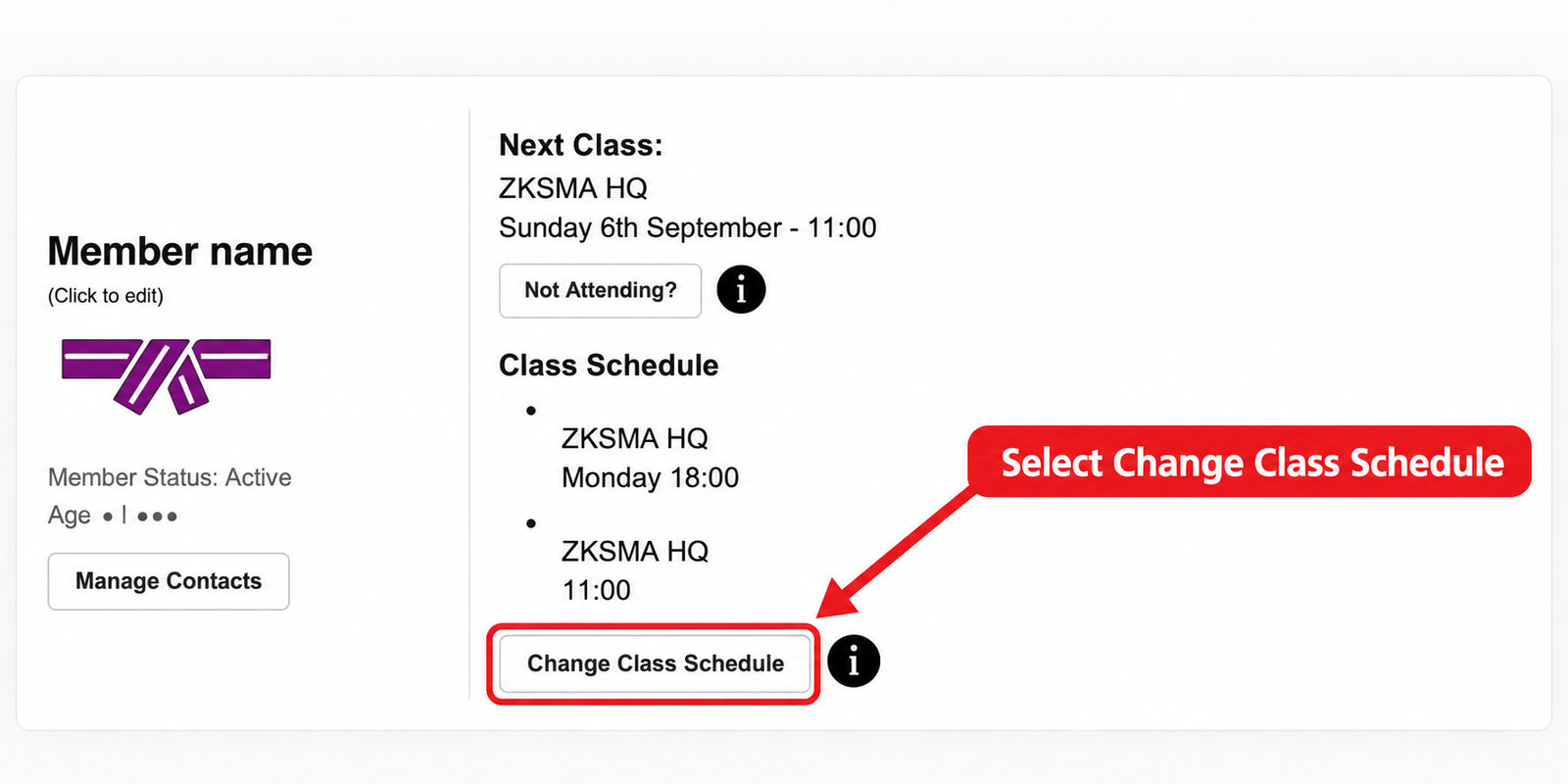
Log in to the Members Area and use Class Schedule. On the relevant member’s dashboard card, select Change Class Schedule to move, add or remove a regular weekly class.
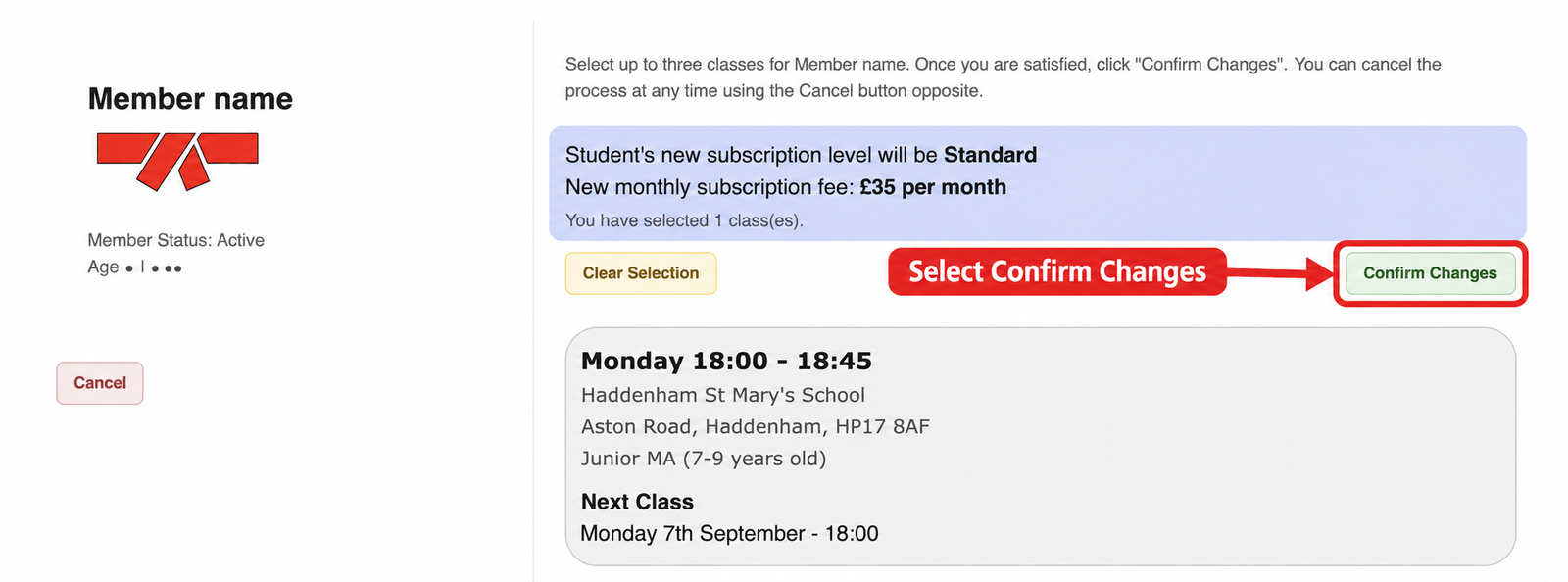
Changes take effect immediatelyOnly confirm when you are ready for the new schedule to begin. Changes cannot be scheduled for a future date, and removing a class releases that place.
What happens next?
The new schedule takes effect immediately. A class you remove is released, so its place may be taken by someone else. Simply asking about a class or arriving at the venue does not reserve a place.
Example: if you want to move from Monday to Wednesday next month, wait until you are ready for the move before confirming it. A Wednesday place available today may not still be available then.
Availability and waiting lists
Only classes with spaces available at the time are shown. We do not operate class-change waiting lists for active members. If the class you want is not available, check Class Schedule again later.
A return to a previous class is also subject to availability; the old place is not held once released.
Adding or removing weekly classes
Your membership updates according to the number of regular weekly classes selected during term time:
- Standard: £35 per month — one class per week.
- Premium: £45 per month — two classes per week.
- Elite: £55 per month — three classes per week.
Check the membership and payment information when confirming. See membership options for more information.
Only missing one upcoming class?
Use Not Attending? under Next Class instead. This makes a temporary change while keeping the regular schedule in place. Read missed classes and temporary changes.
Can’t complete the change?
If the member or control is missing, or the new schedule is not showing after confirmation, message ZKS through the Members Area before attending. Include the member’s name, current class and intended new class. If you cannot log in, see login help.